.png?fit=max&auto=format&n=ML35RDblT1Ol-zJb&q=85&s=062e79ad9c4540929eec204aff020178)
.png?fit=max&auto=format&n=ML35RDblT1Ol-zJb&q=85&s=f6328956931c9664a2a070c2edb6e9b3)
Collection rules configured per coin/token are automatically applied across all supported blockchain networks for that asset.
Configure Collection Rule
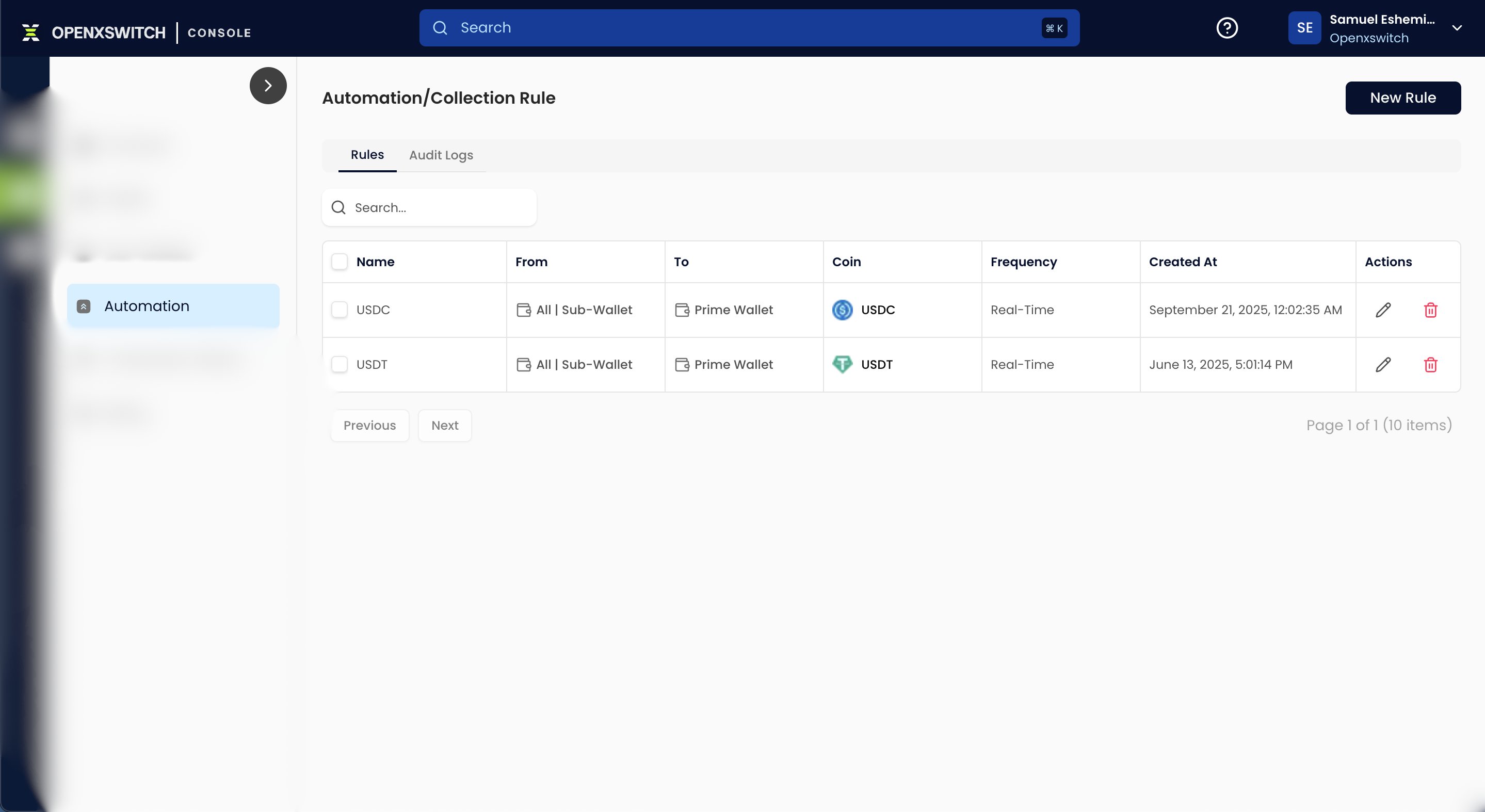
To enable automatic sweeping:- Navigate to:
Wallet-as-a-Service → Automation - Create a collection rule for the target coin/token
- Configure the rule:
Source Wallets→Sub-wallets(default)Destination Wallet→Prime Wallet(default)Sweep Frequency→Real Time
- Save the rule
How It Works
Whenever a deposit is received into an eligible sub-wallet:- The deposit is detected
- The wallet balance is queued for sweep
- Funds are automatically transferred to the Prime Wallet based on the configured rule
Important Notes
Auto collection rules currently support only
Real Time execution.- coin/token
Manual Sweep via API
You can also manually sweep funds from sub-wallets to the Prime Wallet through the API.Endpoint
POST/sub-wallet/transfer/prime
This endpoint allows manual consolidation of balances when automatic sweep rules are not configured or when manual treasury control is preferred.